
New updates to Mapping Matter allow teams to plan projector and LED placements with complete precision
Immersive Experiences
Live Events
Architecture
Brand Experience
Museums
Music
Theme Parks
Software
Workflows

Mapping Matter has long been the technical design tool enabling you to test, validate and understand your projection setup with ease and accuracy. Today, we’re excited to announce a number of new enhancements that will allow you to confidently solve even more technical problems during your design phase and plan your entire production with precision.
From the ability to now plan and evaluate both projector and LED surface placements in a single workspace, to the provision of new analysis tools, real-time multi-user editing functionality, and more flexible options for review and sign-off, each new update is designed to help you make more accurate and informed decisions early in the design process in order to avoid surprises on site.
One workspace for projection and LED
Pure projection productions are becoming less common, with live events and immersive installations frequently mixing projection and LED to achieve a cohesive visual experience. With that in mind, Mapping Matter now facilitates the addition of LED panels into your projects, allowing you to evaluate both projector and LED surface placements in a single workspace to recreate complex real-world setups.
Enhanced projector & LED library
The projector library in Mapping Matter has been given a major upgrade, with a host of new projectors and LED tile options added to the catalogue and the integration of advanced research tools. You can now search for preconfigured projectors and LED tiles from a range of manufacturers, instantly access product specs, and drop your chosen model directly into your project in the configuration you need. A new AI research tool allows you to search for custom specs, discover compatible lenses and view a 3D mesh of your chosen product, ensuring that the tool keeps pace with whatever you are specifying.
Photometric analysis tools
We’ve introduced a number of new analysis tools to help you fine tune your studies. Dedicated workflows for tools such as pixel density and pixel stretch help to align what you see on screen with what you’ll see on site, catching any aliasing and jagged artifacts that might appear when a projection angle isn’t perpendicular to a surface. A new feature for human acuity allows you to drop a human object into your scene to validate a viewer’s perspective from any position, helping you ensure your experience looks as good as it possibly can.
Multi-user editing
Collaborating in Mapping Matter just became a whole lot easier. Multiple team members can now access the same project file and make edits in real-time with changes instantly reflected in all open versions of the project, helping you work side-by-side with colleagues no matter where you are in the world.
Flexible options for sign-off
When it’s time to share your project with your client, the new Layers and Snapshot features make review and sign off smoother than ever before. You can now set up different projector and LED models as layers within the same project, and toggle between them to directly compare approaches. Once ready to share, a time-stamped snapshot can be published and sent to clients, ensuring each recipient sees the exact version you intended.
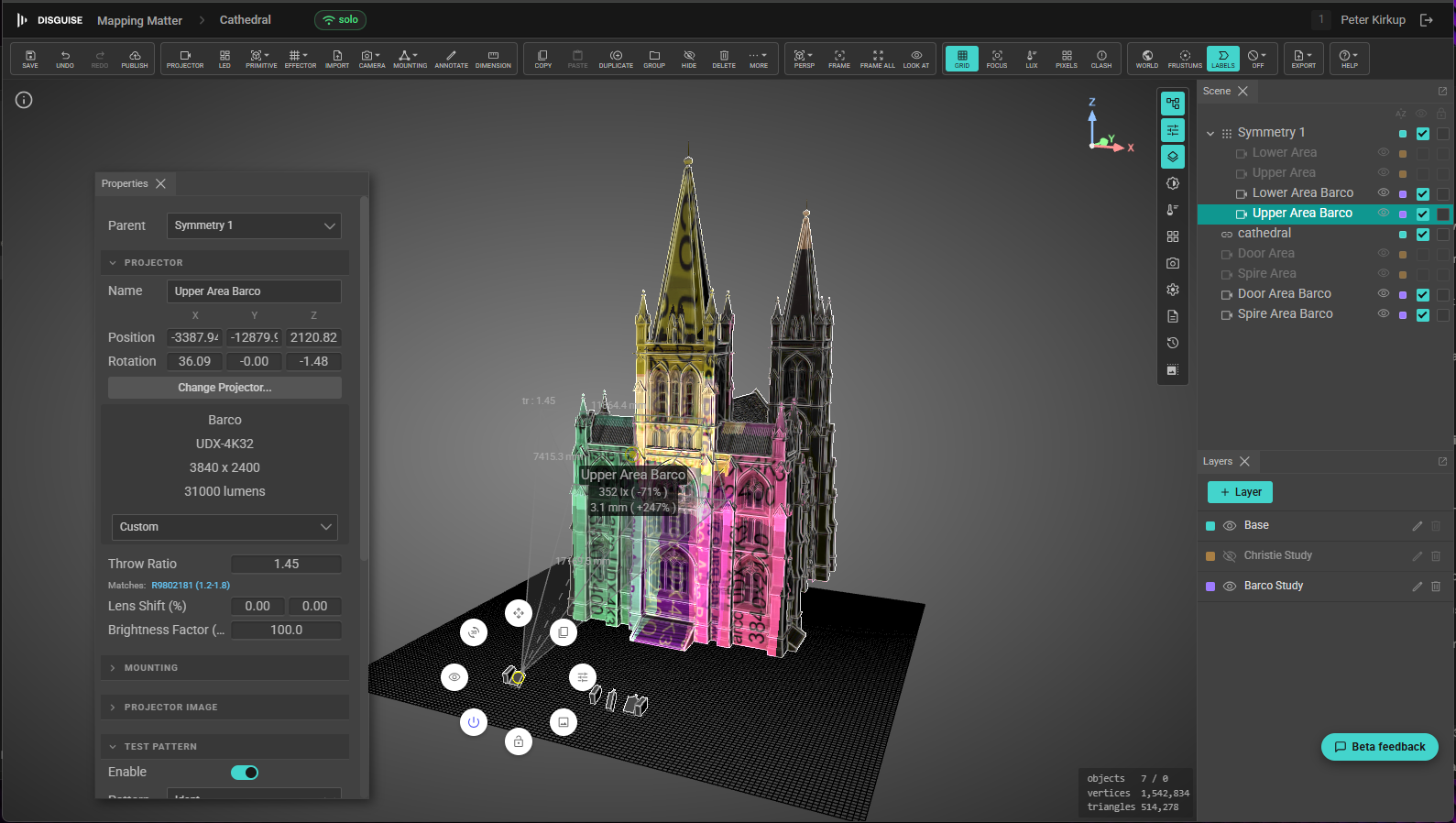
These are just some of the exciting updates ready to be discovered in Mapping Matter, along with the addition of projection mirrors, options for truss mounting, and more. Plus, a redesigned interface makes everything more intuitve and faster to navigate.
Plan with precision and deliver your projects with confidence, whether you're working with projection or LED.