
Introducing Looks: simplifying complexity in Designer
Disguise Platform

As productions grow in scale, so does the complexity of building and maintaining them in Designer. Large timelines, multiple layer types and the need to make fast changes, often under pressure, can make even the most well-structured projects difficult to manage over time, and so there is a real demand to be able to programme shows more effectively.
In addition, as Disguise continues to be used to power both immersive experiences and themed attractions of varied size and scope, there is a need for a workflow in Disguise that enables non-expert users to be able to make content changes easily with minimal training. This is often completed using third-party control interfaces, which require deep-level integrations with Disguise to enable a sufficient level of functionality.
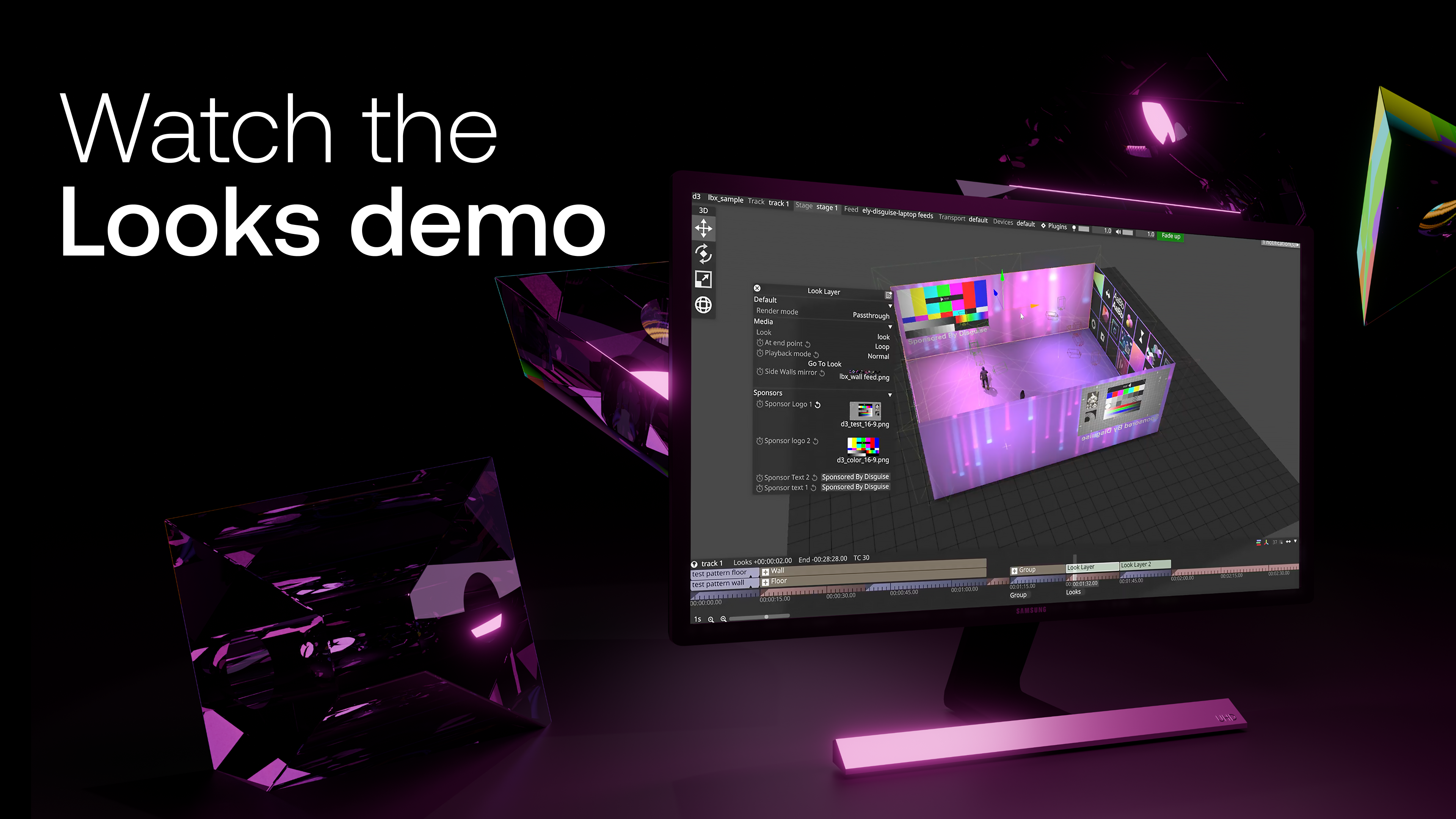
To address this, we’ve introduced Looks, a new workflow in Designer designed to simplify how users programme shows by enabling users to easily recall specific programmed elements across shows, or make changes to specific parameters on the timeline in Designer via API endpoints.
A more structured way to build and scale
Looks are a new track type within Designer that allow users to group multiple layers into a single, manageable unit. A Look contains one section and any number of layers all sequenced together in one place.
This immediately brings clarity to complex timelines, particularly in large-scale productions where layers can quickly become difficult to manage. By consolidating them into a single structure, Looks make it easier to navigate projects and maintain control, even as complexity increases.
Beyond organisation, Looks introduce a more scalable way of working by reducing the need to rebuild similar setups across timelines or projects. Instead, users can define a Look once and continue to refine or adapt it as needed, creating a more fluid workflow that supports both speed and consistency, and reduces the number of clicks during programming. This is particularly valuable in environments where visual states are repeated or iterated on, such as sports presentations, touring shows and branded installations.
Each Look can expose its controls through a personality, allowing key parameters such as content, mapping type, blend modes or brightness to be adjusted quickly. These controls can be accessed directly in the timeline or via API, enabling both hands-on programming and integration with external systems. By focusing only on the parameters that matter, personalities provide a more efficient and intuitive way to interact with complex setups.
Moving towards a system-based workflow
Looks mark a shift from building projects in isolation to creating more connected and repeatable systems.
By structuring layers and controls into defined units, Looks make it easier to standardise how projects are built and managed. This not only reduces repetitive setup work, but also helps maintain consistency across outputs, which is especially important for teams working across multiple shows, venues or long-term installations.
The added structure also supports more collaborative workflows. With clearer organisation and defined control points, teams can work within the same project with greater confidence, reducing the risk of inconsistencies or overwriting key elements.
Built for real-world operation
Looks have been developed with both live productions and fixed installations in mind, where the challenges often extend beyond initial programming.
In live environments, the ability to quickly trigger, adjust and iterate on complex visual states is critical. Looks support this by keeping timelines organised and making it easier to modify content or behaviour without disrupting the overall structure. This allows programmers to respond faster and work more efficiently under pressure.
In fixed installations, the challenge is long-term usability. Systems are often programmed by specialists and then handed over to operational teams with varying levels of technical expertise. Looks introduce a more controlled and flexible way to manage these systems, allowing updates to be made without rebuilding timelines or relying on specialist intervention.
A more scalable foundation for Designer
Looks represent a shift towards a more modular and scalable way of working in Designer. By bringing layers together into structured, reusable units and exposing only the controls that matter, they allow users to manage complexity with greater clarity and control.
As projects continue to grow in ambition and scale, this approach provides a stronger foundation for building, adapting and maintaining content over time. Whether for live productions or long-term installations, Looks enable a more efficient, consistent and flexible way to work in Designer.
What's next for Looks?
Looks will be used as part of the integration with ISAAC to support simpler operation in LBX installations. Looks created in Designer are automatically converted into ISAAC Templates, which act as structured forms for selecting content and defining how it appears, without needing direct interaction with Designer. These can then be scheduled through an intuitive calendar interface for playback.
This approach removes the need for onsite teams to learn complex programming while creating a clear operational boundary that protects the system. At the same time, programmers retain full control, as any new Looks are automatically made available within ISAAC - this integration will be made available soon.
Learn more on this new feature in Disguise's user guide.